
Enterprise AI Supervision
Product images of the Classie console. Classie gives security and IT teams one supervision layer for every AI surface in the enterprise.
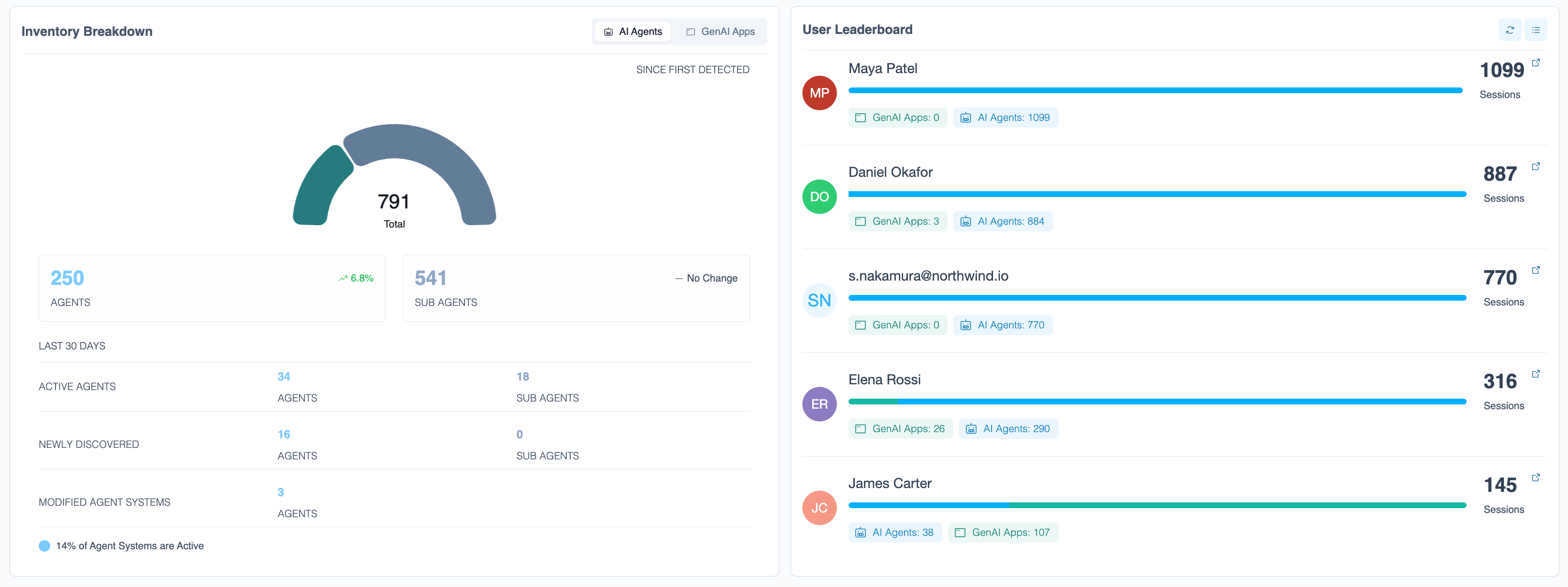
AI inventory and user activity
A unified view of AI agents across the enterprise, with the people generating the most AI sessions.
Download PNG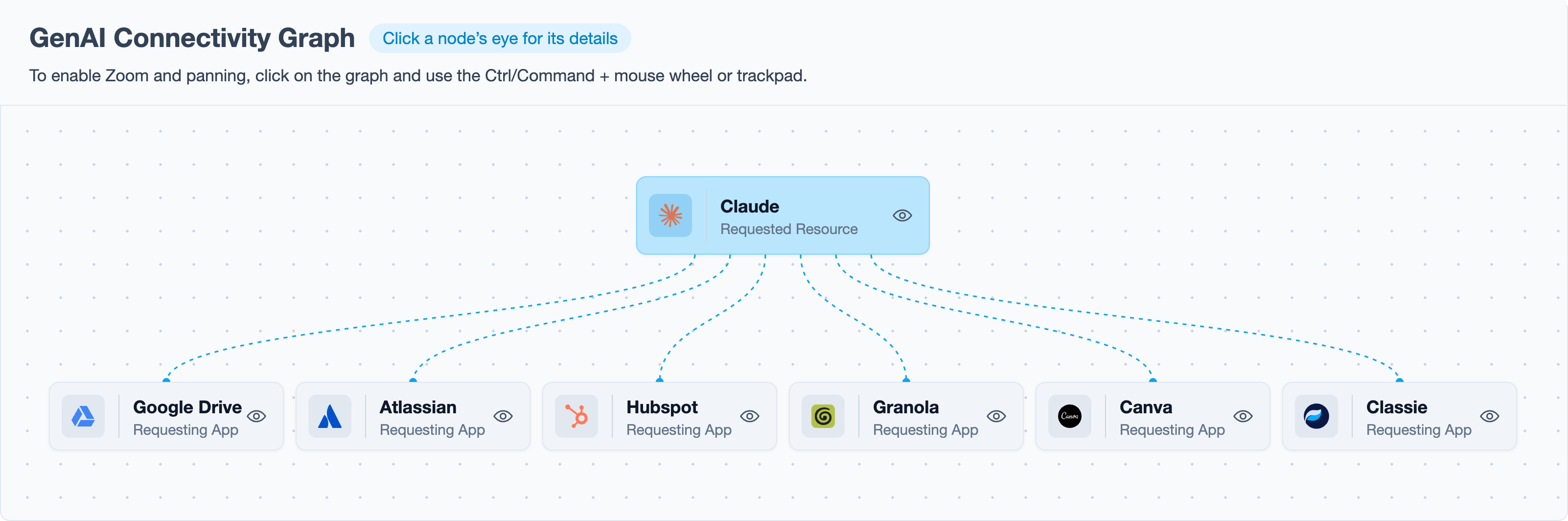
GenAI app connectivity graph
The apps and data sources connected to a single AI service.
Download PNG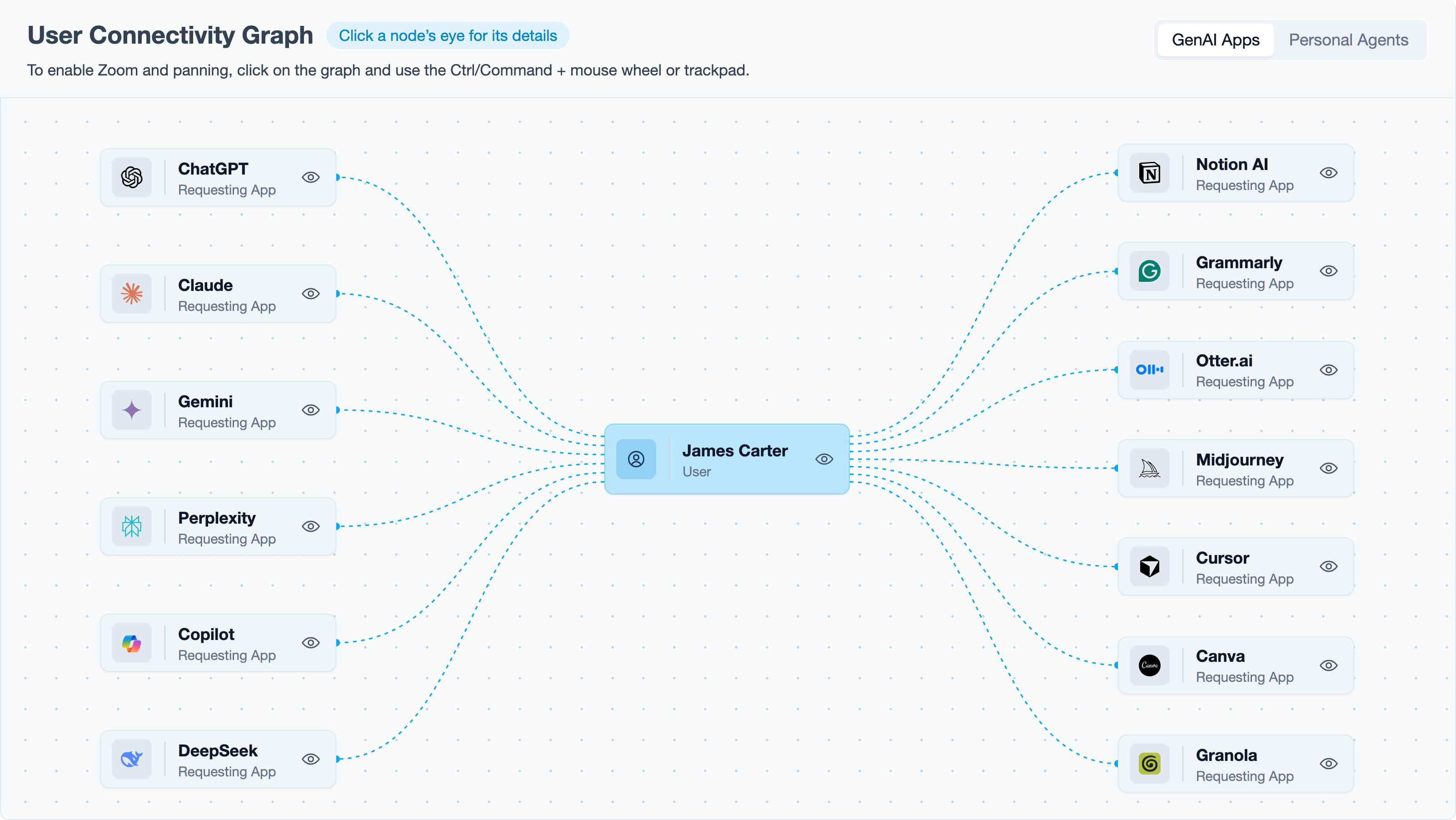
User connectivity graph
Every AI app a single user works with, showing who initiated each AI interaction.
Download PNG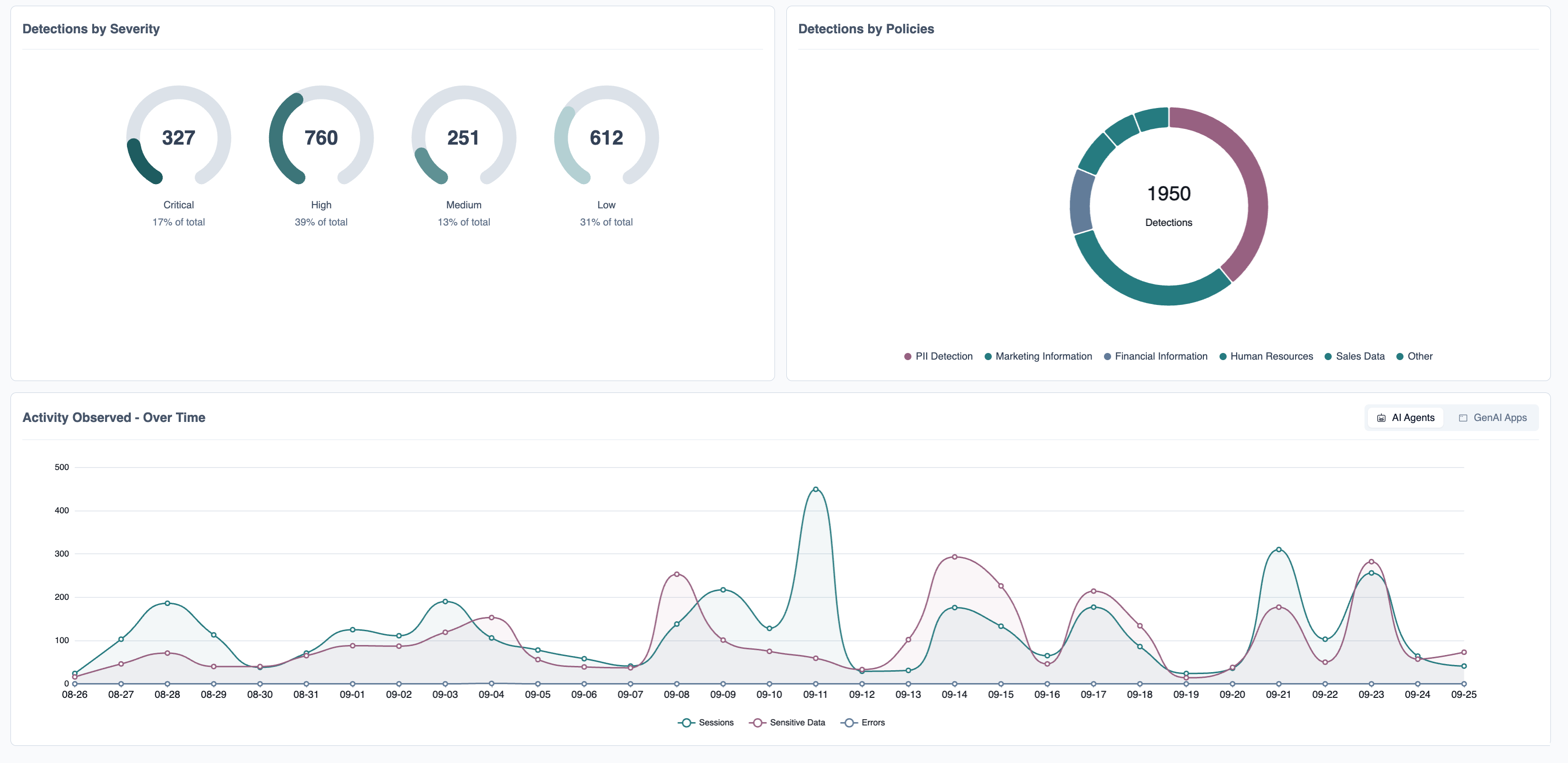
Detections and activity over time
Detections by severity and by policy, alongside AI sessions, sensitive-data events and errors over time.
Download PNG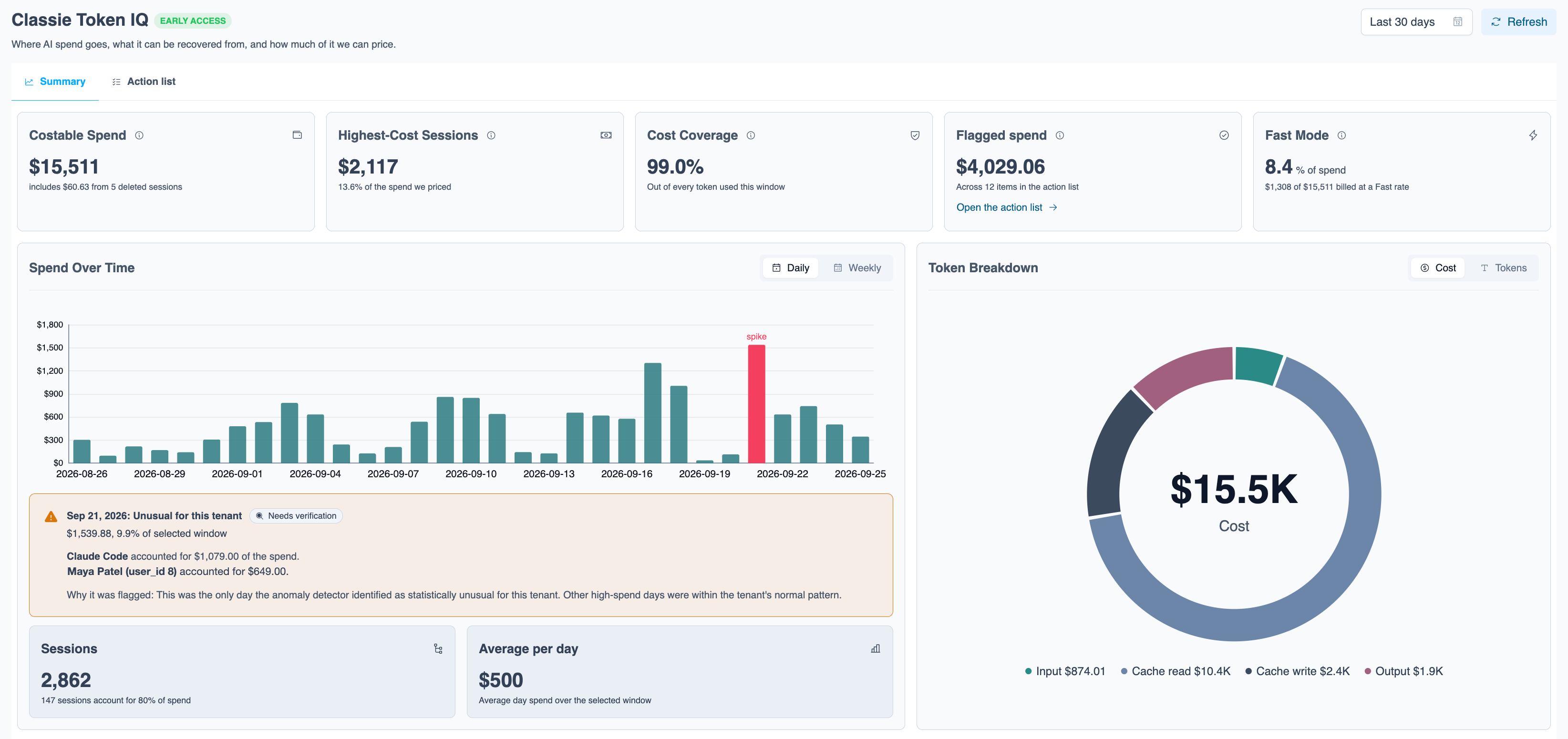
AI spend
Real-time AI spend, attributed to the agents, apps and people that generate it.
Download PNG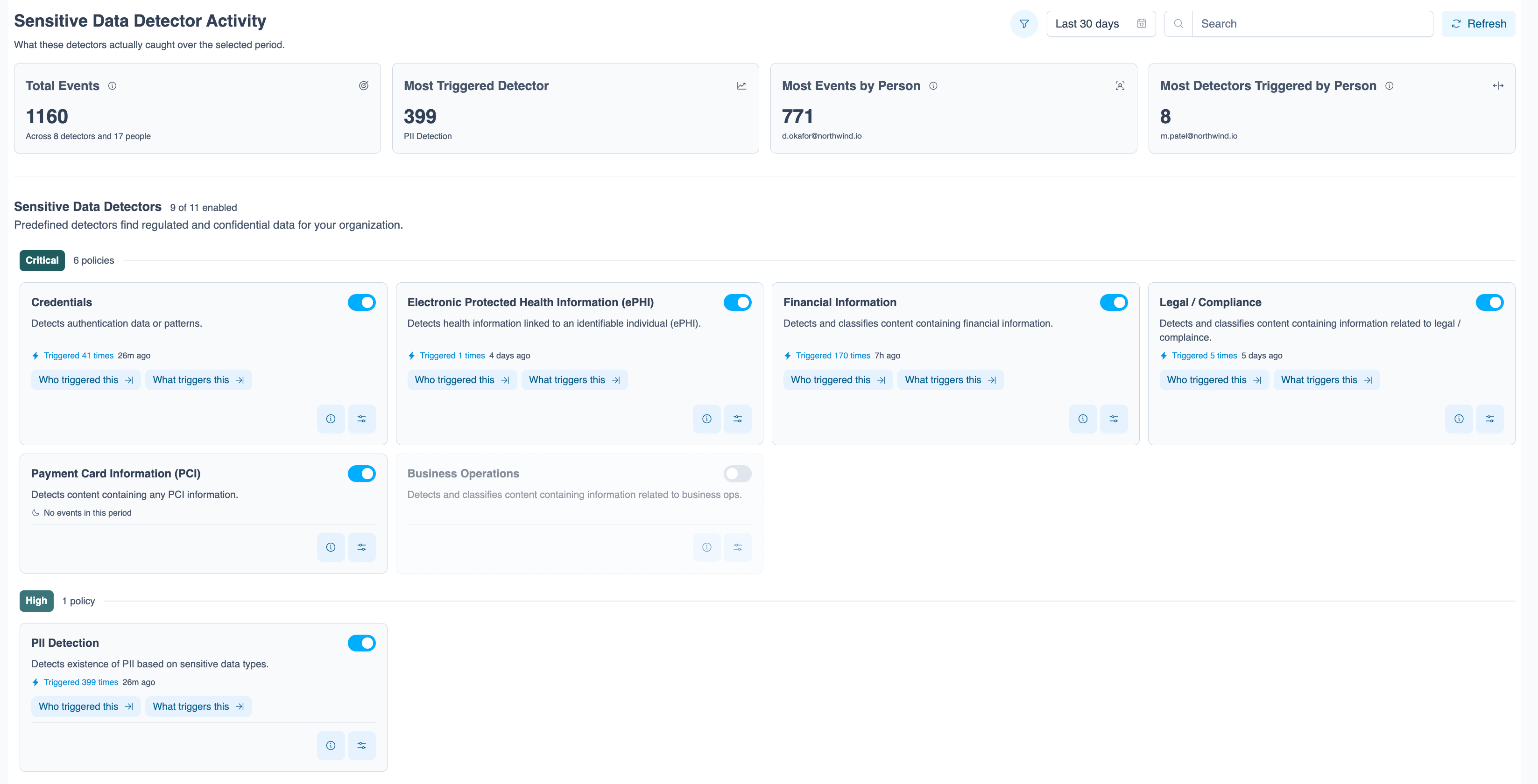
Sensitive data detectors
Predefined detectors find regulated and confidential data, including credentials, health, financial and payment card information, and show what triggered them.
Download PNG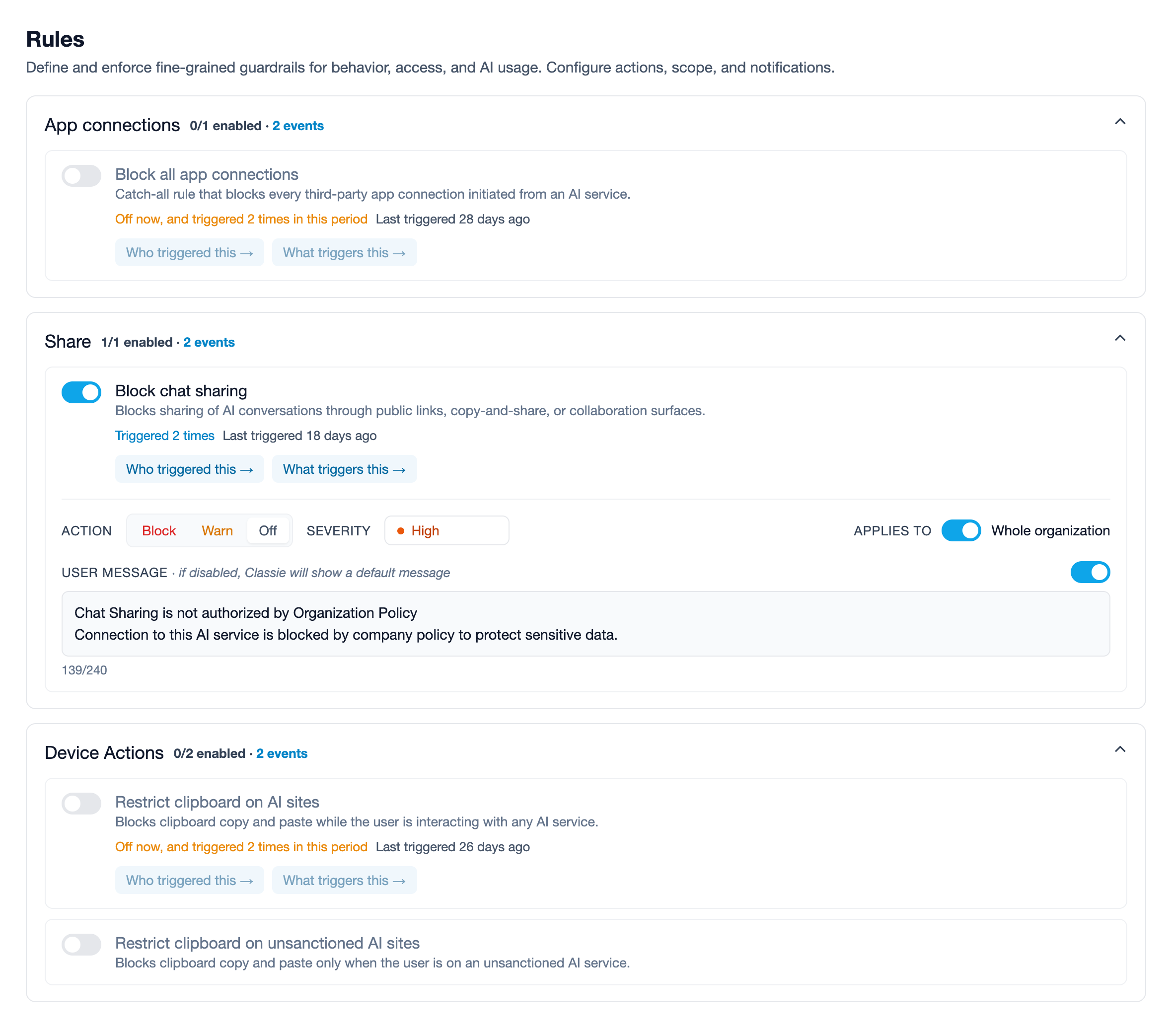
Rules and real-time enforcement
Guardrails that block, warn or allow AI actions such as app connections, chat sharing and clipboard use, with a message shown to the user.
Download PNG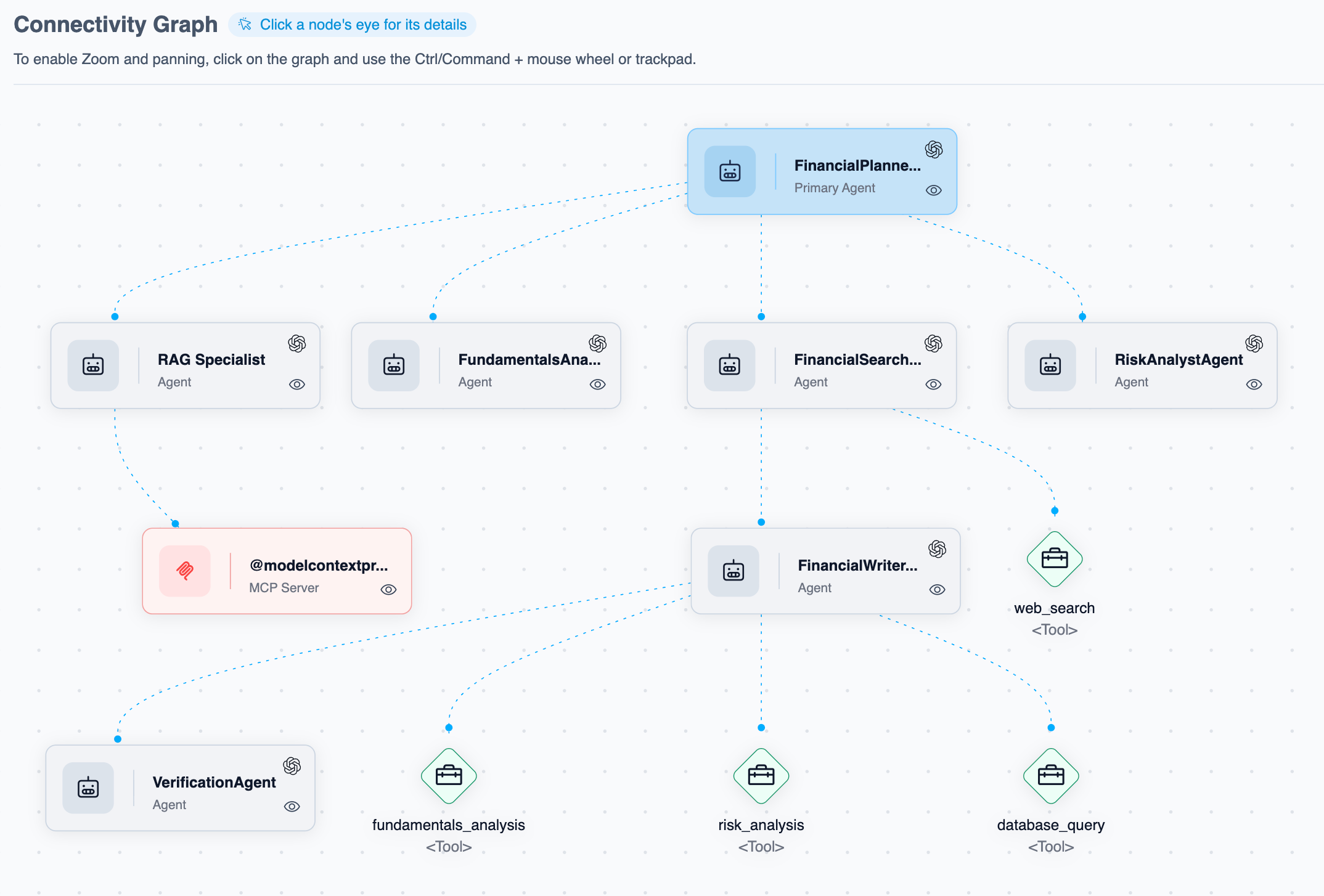
Agent connectivity graph
A multi-agent workflow mapped end to end: the primary agent, its sub-agents, and the tools and MCP servers they call.
Download PNGClassie logo
High-resolution PNG (transparent) and JPG. Use the dark version on light backgrounds and the white version on dark backgrounds.